











From Church Posting

Covenant OS

Plan Sunday's service, schedule volunteers and keep membership and giving records in Covenant OS. Members use one app in your church's own words.

Covenant OS is Church Posting's own product.

Beta opens Tuesday, December 1, 2026

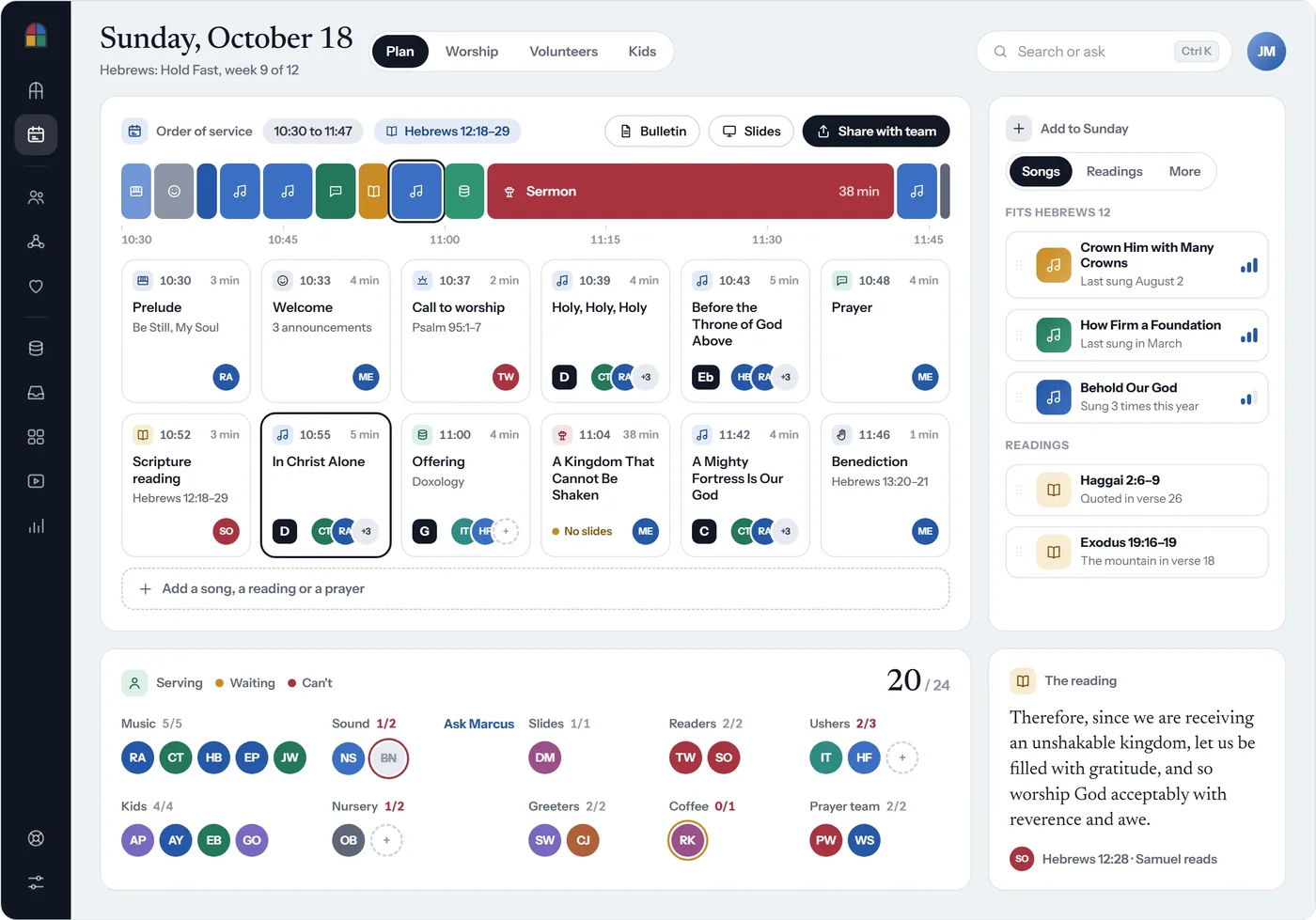
The Sunday plan in Covenant OS for a sample church: the order of service as a row of colored segments on a timeline, a card for each song, reading and prayer with who leads it, the teams serving, and the reading for the day
Sunday plan for a sample church.

One place for the church office

Every area below is included in the beta on day one under one login.

  • Sunday

    Plan the order of service, pick songs with keys and charts, and print the bulletin from the same plan.

  • Volunteers

    Schedule every team and let volunteers accept, decline or swap from their phones.

  • People

    Keep households, membership, guests and private care notes in one record per person.

  • Giving

    Accept online and recurring gifts by fund with year-end statements. Covenant OS adds no fee of its own to a gift.

  • Kids check-in

    Check children in on a tablet with name labels, allergy notes and pickup codes.

  • Email and texting

    Message the whole church or a single team and read every reply in one inbox.

  • Your website

    Publish sermons, events and service times on your church's own web address.

  • Churchgoer, the member app

    Free for every church. A church plan adds Sunday plans, serving schedules, giving and the directory on each member's phone.

  • Help

    Ask Help to change the schedule, check the proposed update and approve it. Help is available at any hour.

Sunday, volunteers, giving and Help

Sample church shown. Your account uses your church's wording, colors and directory.

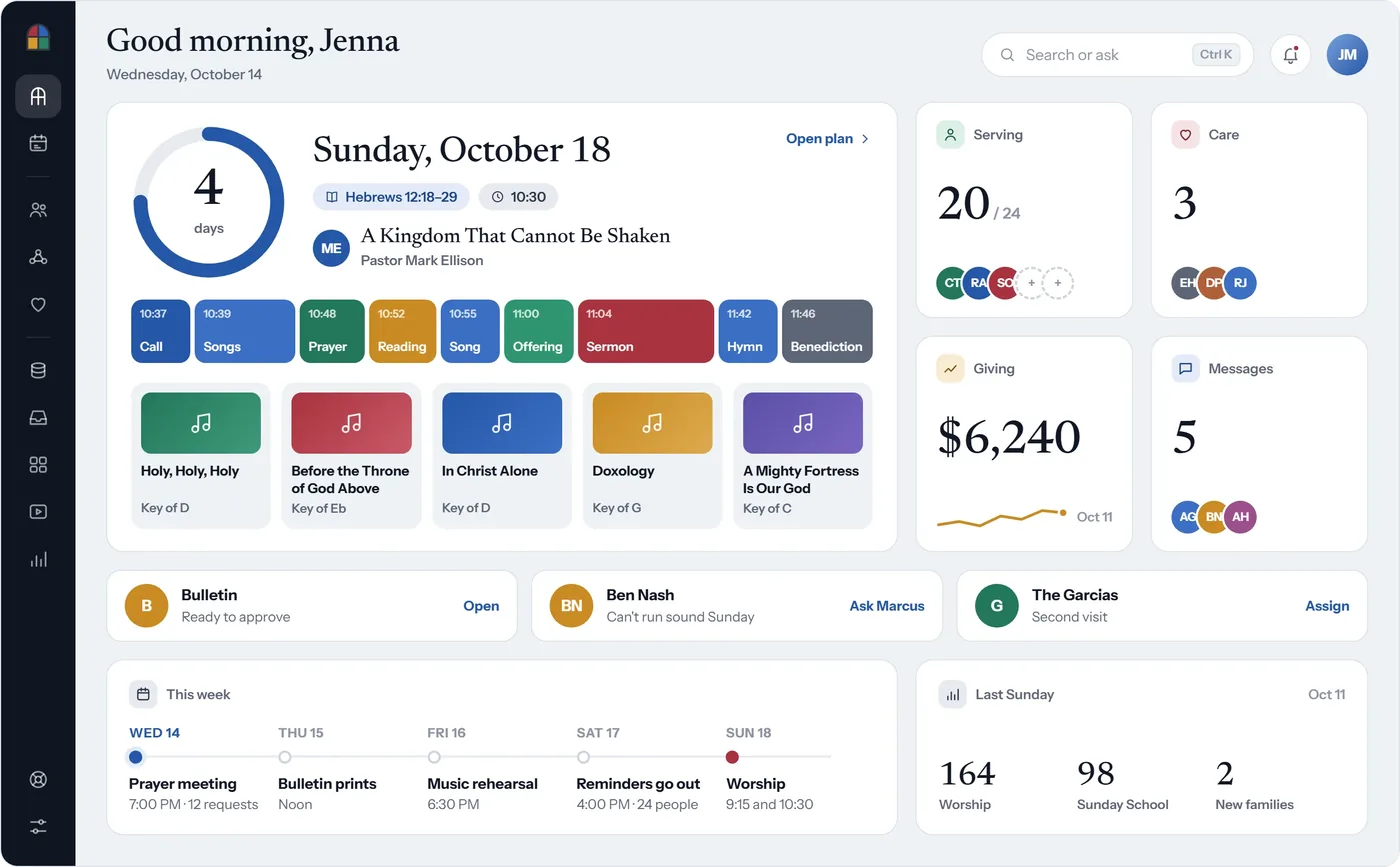
  • The Today screen: the coming Sunday with its sermon, a ring counting the days to it, the order of service as colored segments, the songs, and tiles for serving, care, giving and messages

    Today puts the coming Sunday, pending approvals and the week ahead on one screen.

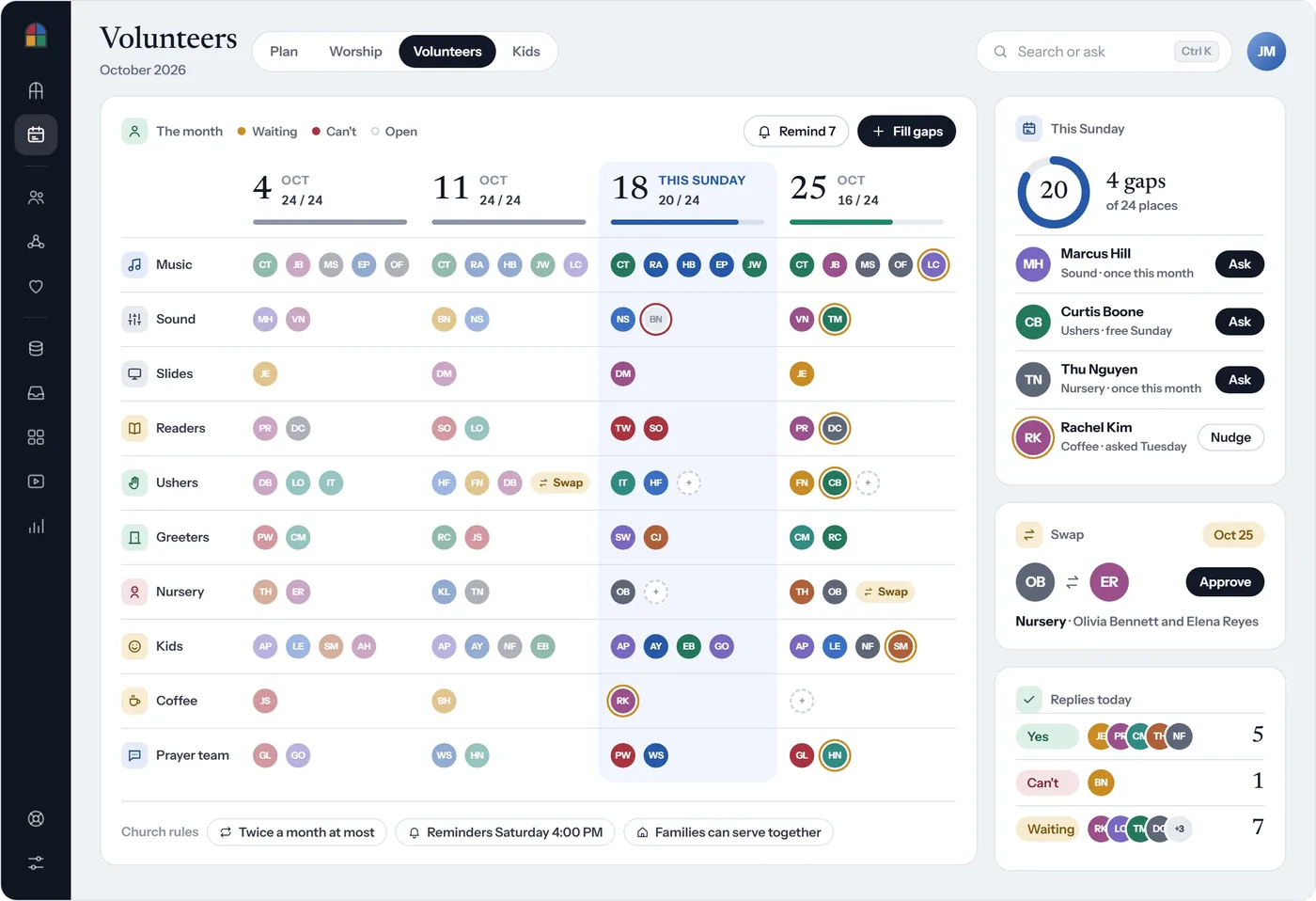
  • The volunteers screen: each team for the coming Sunday with the people serving, who has answered, who is waiting and where a spot is still open

    Volunteers lists each serving team, who has answered and which spots are still open.

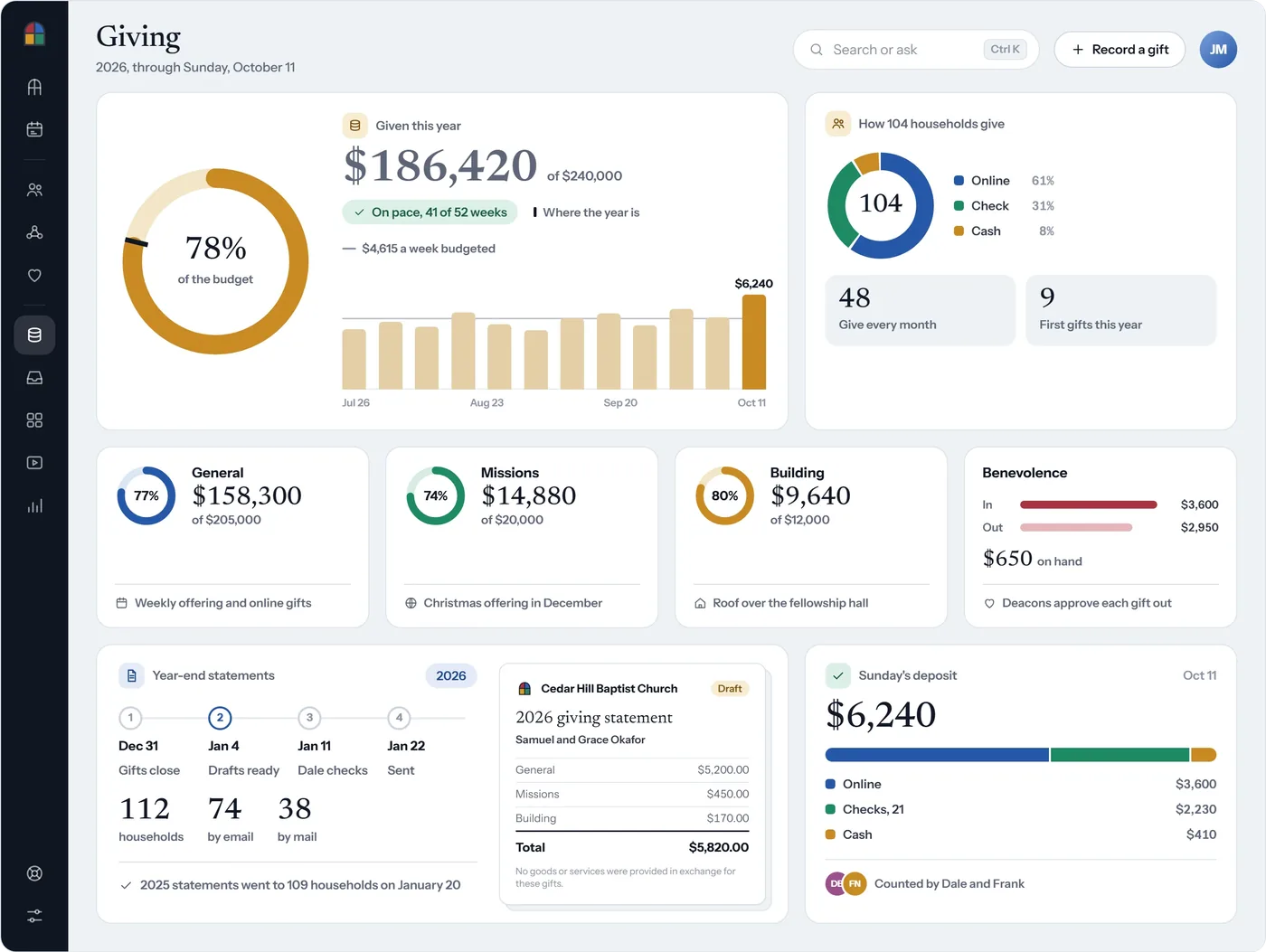
  • The giving screen: the year's total against the budget, how households give, each fund with its progress, year-end statements and Sunday's deposit

    Giving tracks year-to-date totals against your budget, each fund and year-end statements.

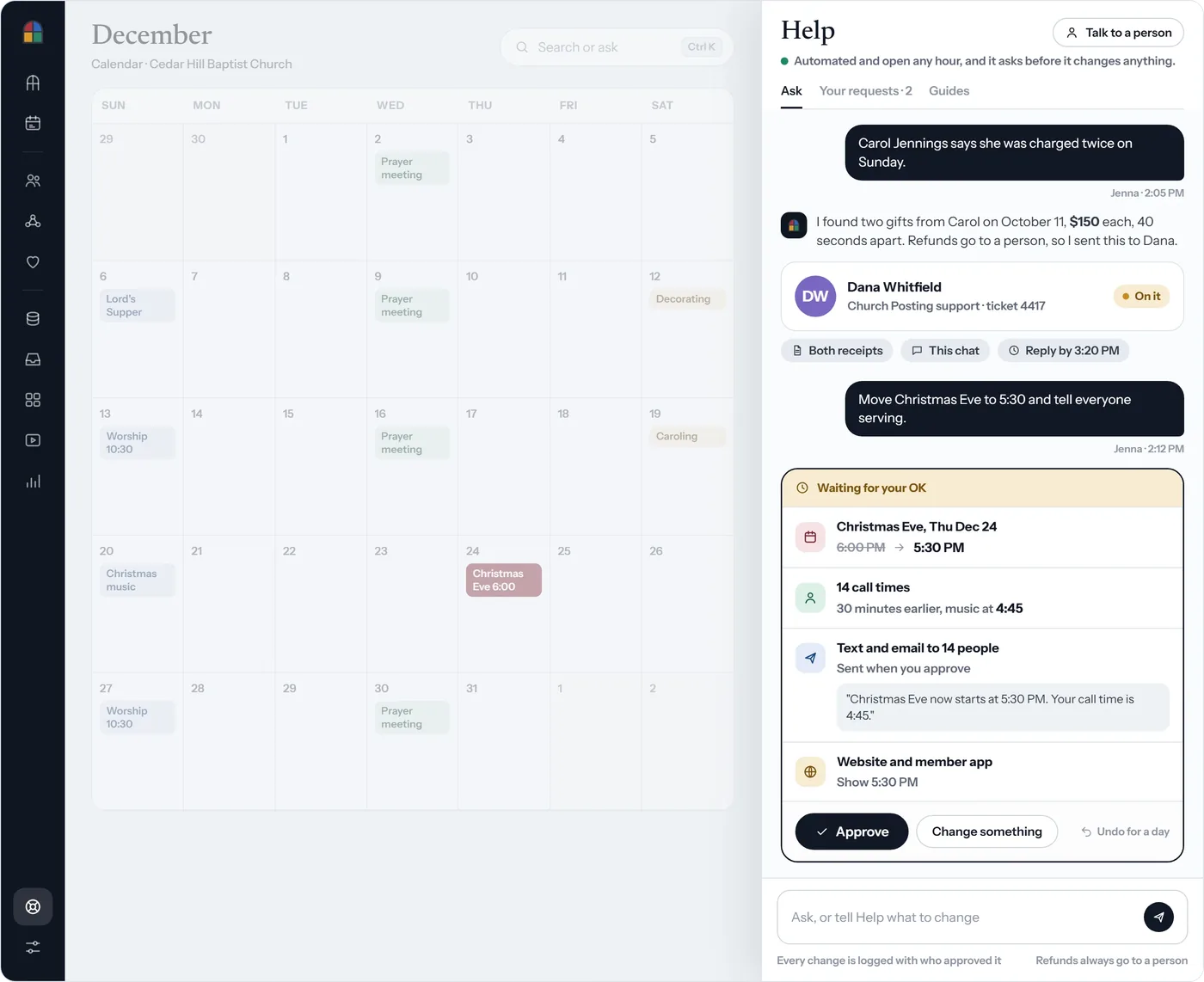
  • The Help panel open beside the church calendar: a staff member asks to move the Christmas Eve service to 5:30, and Help lists the changes it will make and waits for approval

    Help lets staff type a request, review every proposed update and approve it.

Setup in one sitting

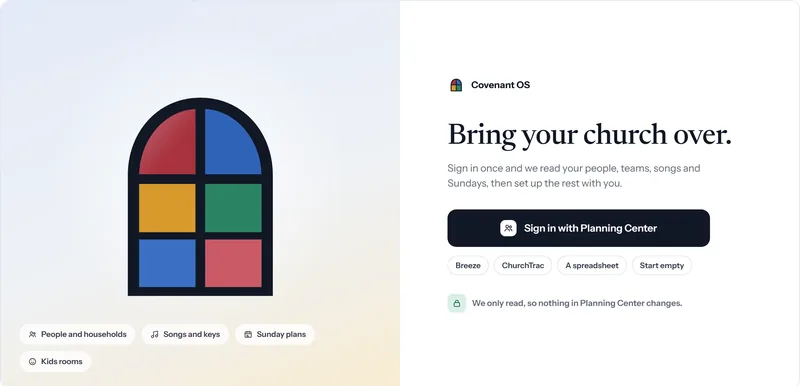
The first setup screen: a four-pane window, the words Bring your church over, and a button to sign in with Planning Center, with Breeze, ChurchTrac, a spreadsheet and starting empty as the other choices

Sign in with Planning Center

Churches on Planning Center can sign in to bring over people, teams, songs and service plans while answering a few setup questions. Nothing changes inside Planning Center. You can also import records from Breeze, ChurchTrac or a spreadsheet.
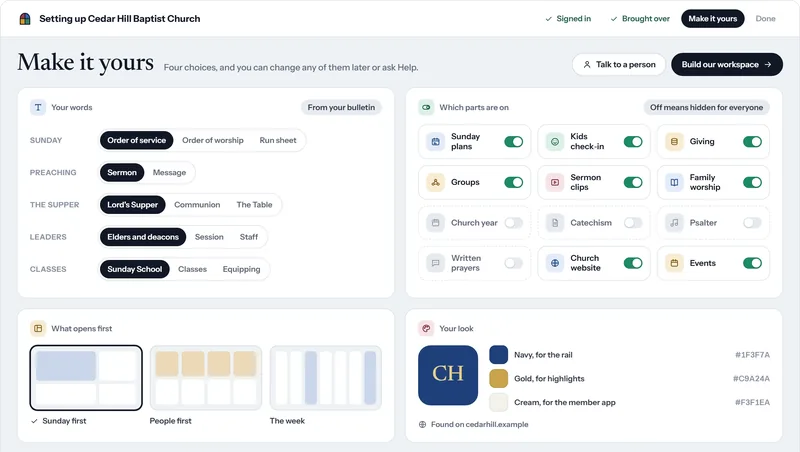
The Make it yours step of setup: the church picks its words, such as order of service or order of worship and Lord's Supper or communion, switches parts on or off, chooses what opens first, and confirms its colors

Your church's own words

One church says order of service and the Lord's Supper; another says order of worship and communion. Covenant OS uses your church's wording, and you switch on only the parts you use. The church year, catechisms and written prayers stay off unless you turn them on.

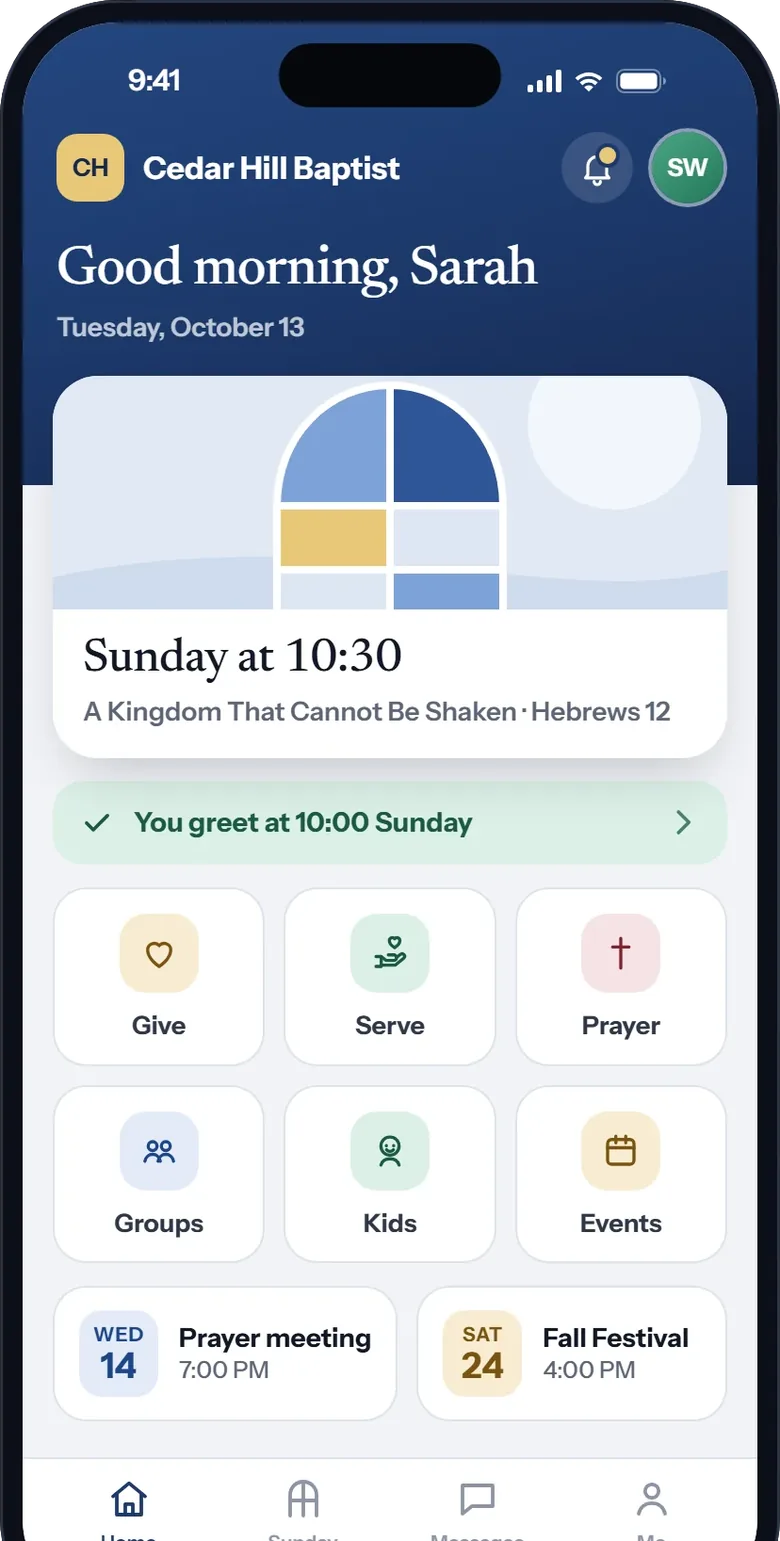
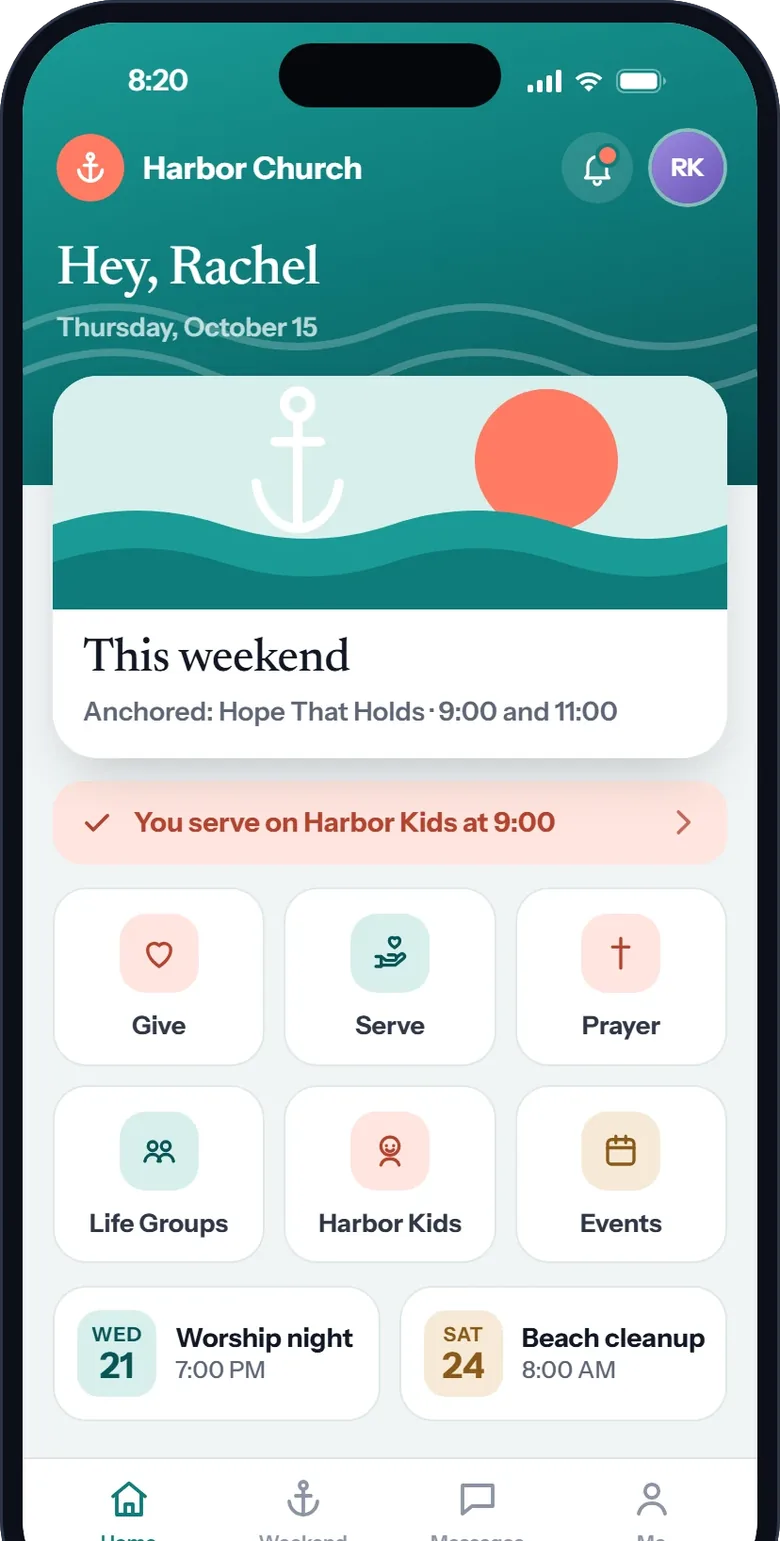
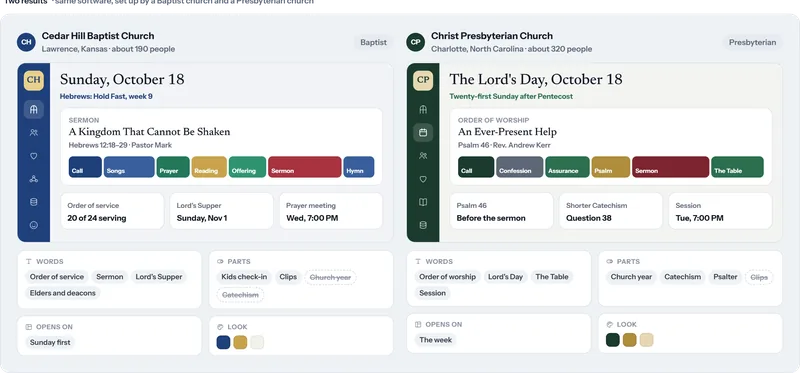
The same software set up by two sample churches: a Baptist church with Sunday, sermon and the Lord's Supper in navy and gold, and a Presbyterian church with the Lord's Day, the church year and the catechism in green

Two churches, one product

A Baptist church and a Presbyterian church can set up the same software and end up with different screens, each with its own wording, active features and colors.

Berean Blue

Send sermon notes from Berean Blue

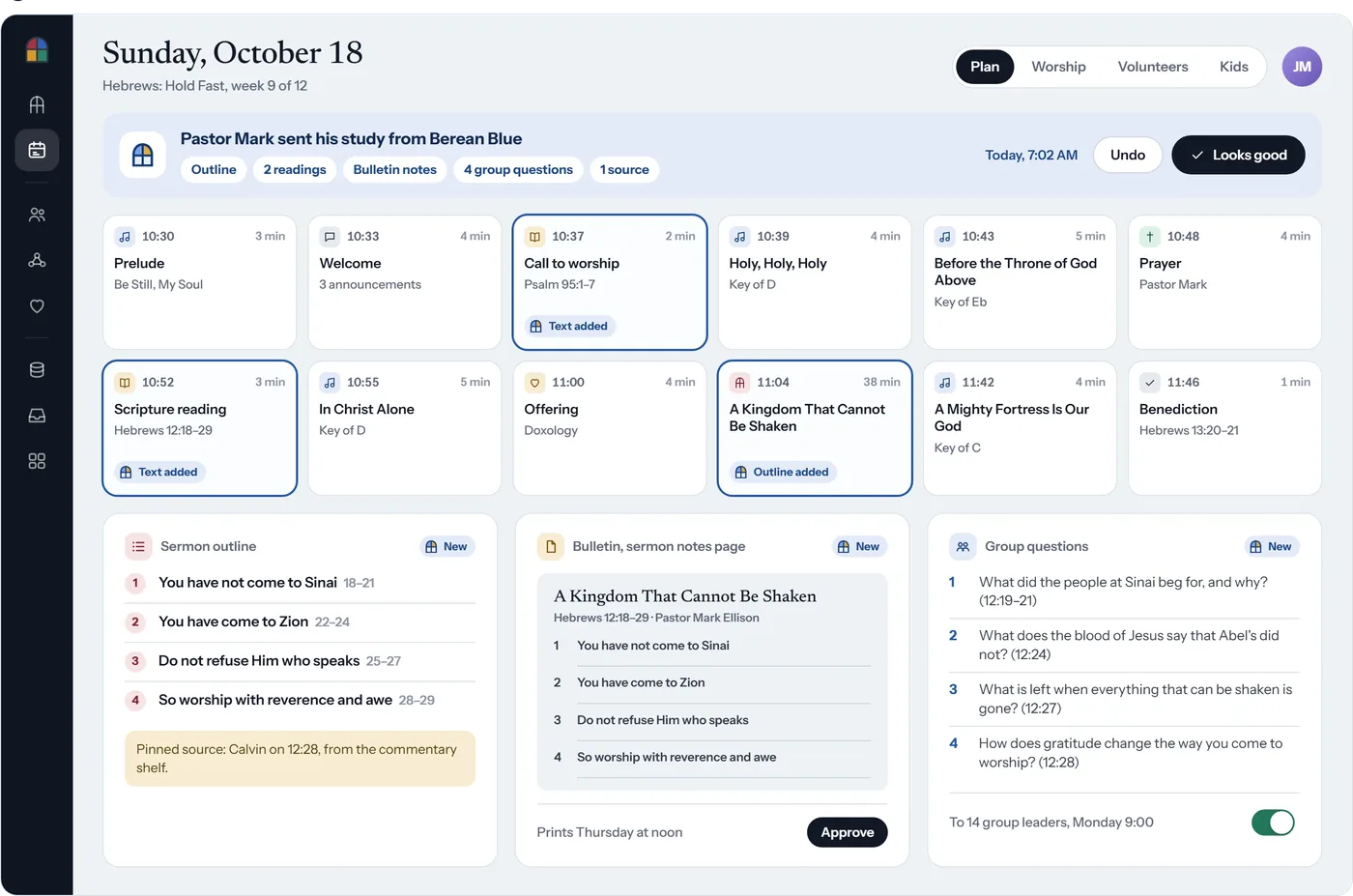
Our free Bible study app, Berean Blue, opens December 1. A pastor studying in Berean Blue can send a finished outline, Scripture readings and bulletin sermon notes into Sunday's plan in Covenant OS while keeping private notes in Berean Blue.

About Berean Blue

Berean Blue is Church Posting's own product.

Sunday's plan in Covenant OS after a pastor sent his study from Berean Blue: a banner names what arrived, the call to worship and the Scripture reading carry Text added, the sermon carries Outline added, and the outline, the bulletin's sermon notes page and the group questions wait below for approval
A Berean Blue study imported into Sunday's plan (sample church).

Beta opens December 1

Tuesday, December 1, 2026
The beta includes every feature. Plans start at $39 a month and vary by church size.
First quarter of 2027
Full release.

Read the full product details at covenantos.com.

Covenant OS is Church Posting's own product.

Ask for beta access